
First step: Creating a Unit Test Project
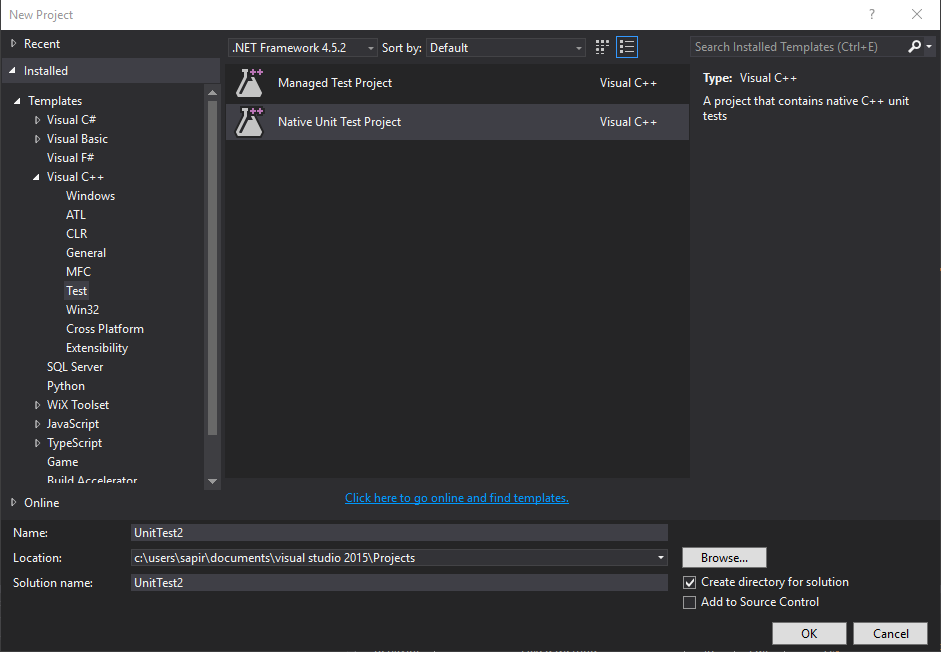
1. Open Visual Studio, click ‘File’ and create a new ‘Native Unit Test Project’. This will create the unit test project, class and method.
2. Add Typemock References:
On ‘Project’ click on ‘Properties’.
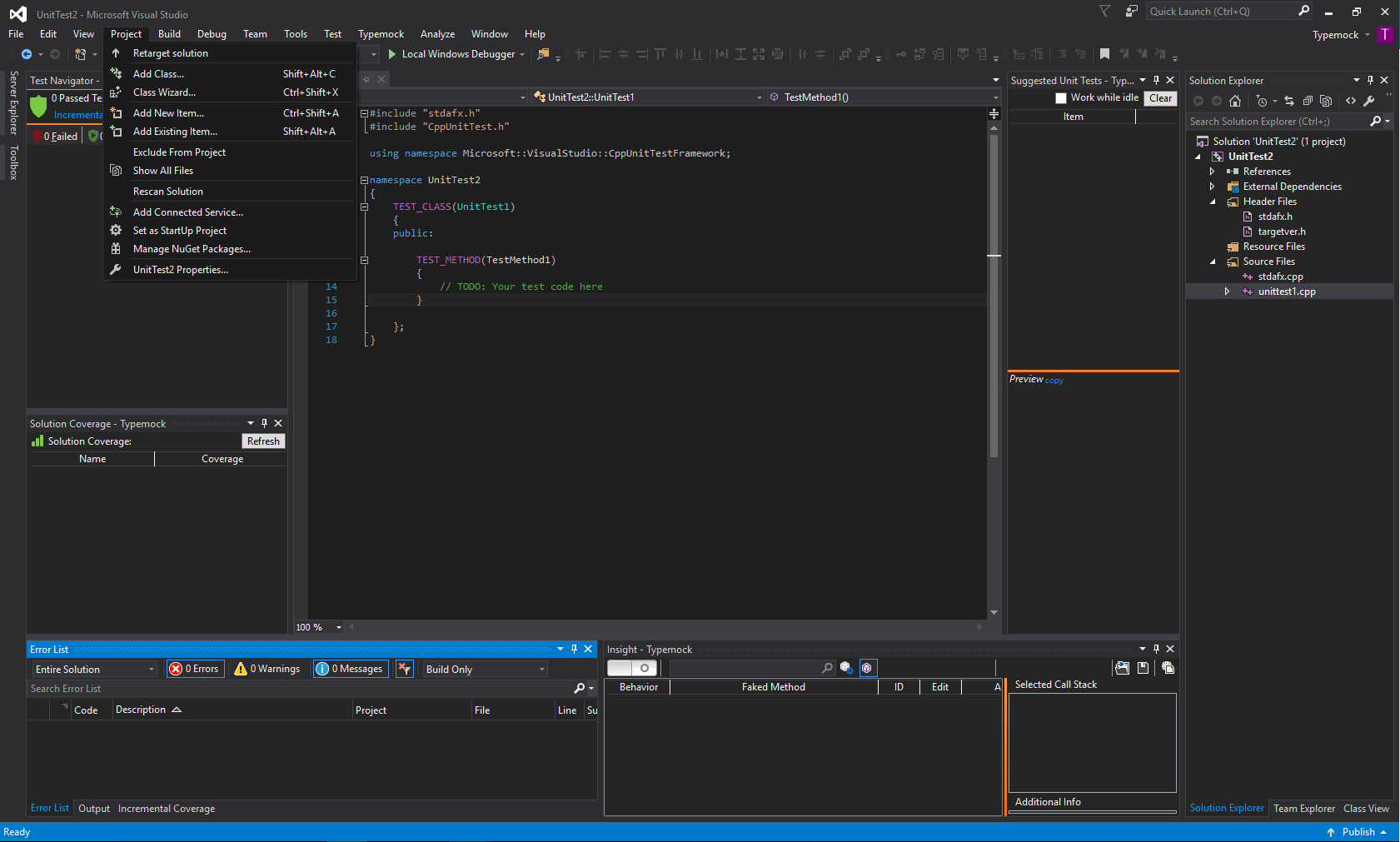
a) Include the .h file:
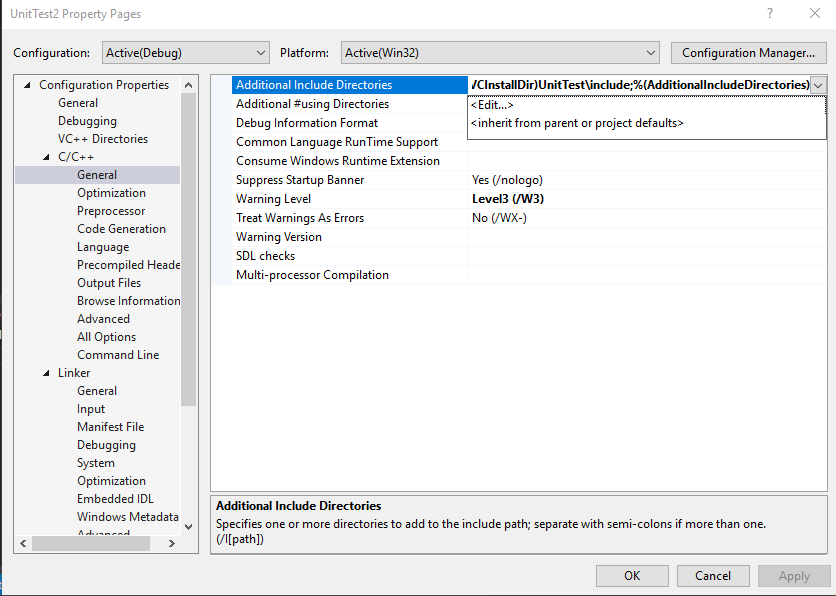
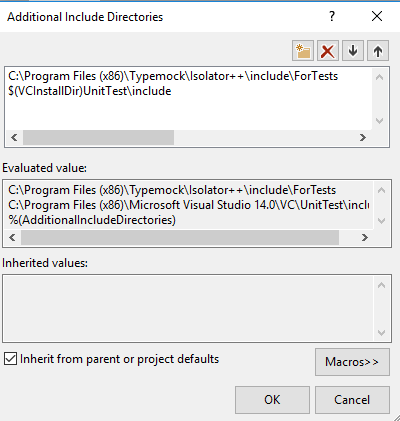
Under the C/C++ General section, in the Additional Include Directories add:
C:\Program Files (x86)\Typemock\Isolator++\include\ForTests
b) Include lib:
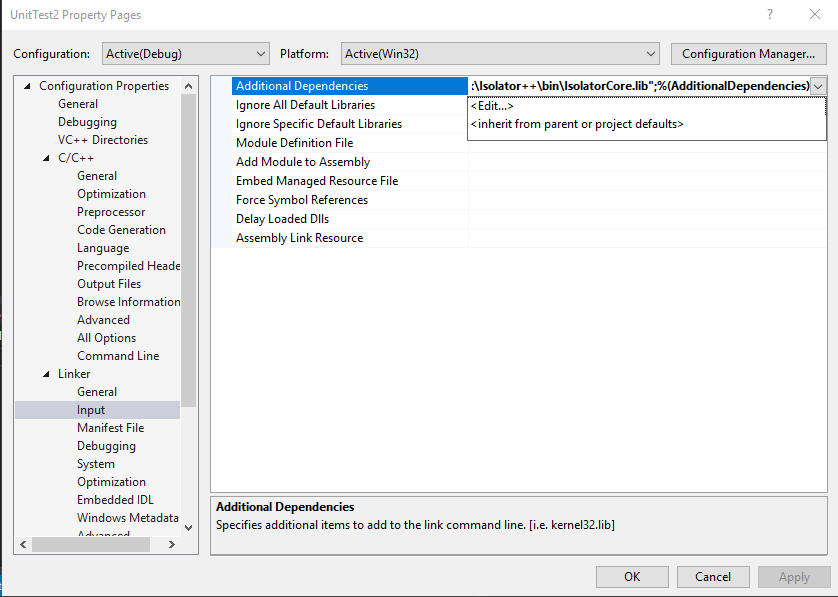
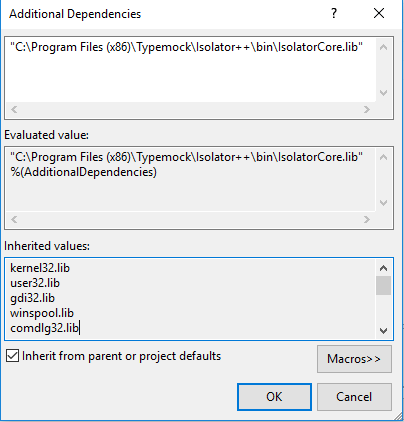
Under the Linker Input Section, in the “Additional Dependencies” add:
“C:\Program Files (x86)\Typemock\Isolator++\bin\IsolatorCore.lib”
Note: for 64bit use: “$(ProgramFiles)\Typemock\Isolator++\bin\x64\IsolatorCore.lib”
c) Copy dll to output:
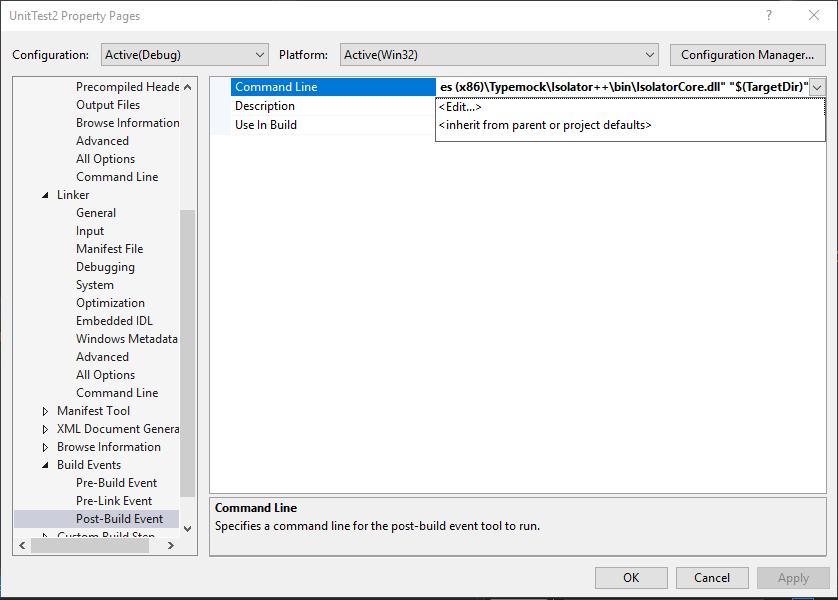
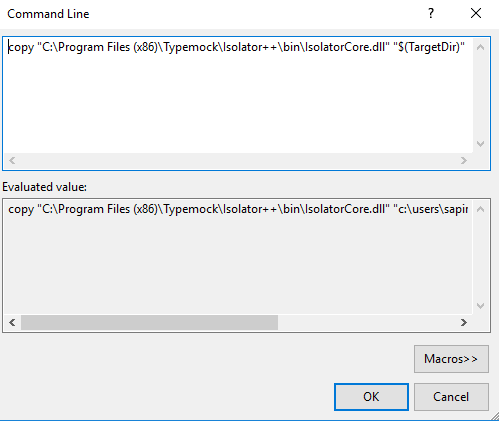
Under Build Events, Post-Build Event, add this Command Line:
copy “C:\Program Files (x86)\Typemock\Isolator++\bin\IsolatorCore.dll” “$(TargetDir)”
Note: for the 64 bit version copy the dll from the x64 folder
Second Step: Writing Isolated Unit Tests:
1. In the unit test class add the following:
#include “isolator.h”
2. Write your test using these three parts:
a) Arrange – setup behavior of your fakes
b) Act – call your code
c) Assert – check that your code works
3. Remember to always add ISOLATOR_CLEANUP() After every test.
Simple test Examples
in the following examples we use the following methods of class Person:
char* Person::GetName()
{
	throw;
}
bool Person::Ping()
{
	return CanPing(true);
}

bool Person::CanPing()
{
	throw;
}

bool Person::CanPing(bool force)
{
	throw;
}
1. In this example, we both change the behavior of the public method, and assert it was called.
TEST_METHOD(AssertingACall)
{
	Person person;
	WHEN_CALLED(person.GetName()).Return("Jerry");
	ASSERT_WAS_CALLED(person.GetName());
}
2. In this example, we fake the private overloaded method CanPing
TEST_METHOD(ChangingBehaviorOfPrivateOverloadedMethod)
	{
		Person* person = new Person();
		PRIVATE_WHEN_CALLED(person, CanPing, TYPEOF(bool)).Return(true);
		Assert::IsTrue(person->Ping());
}
Happy unit testing!