Enabling and Disabling Output when Running Tests
To enable or disable output when running tests:
1. Select Typemock > Options.
The Options window is displayed.
2. In the options list, select Typemock > SmartRunner.
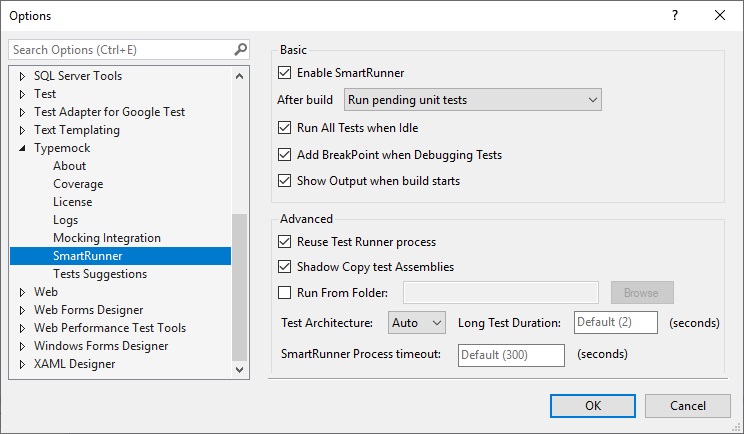
3. In the Basic area, do one of the following:
•If you want to enable output, select the Show Output when build starts check box.
•If you want to disable output, clear the Show Output when build starts check box.
4. Click OK.